For iPhone, iPad and Mac

Every euro gets its envelope.

Nvelo splits your income into envelopes, shows at once what is left in each one, and rolls the rest into the next month automatically. No spreadsheet.

Download on the App Store Buy once · no subscription · no account · German, English, French

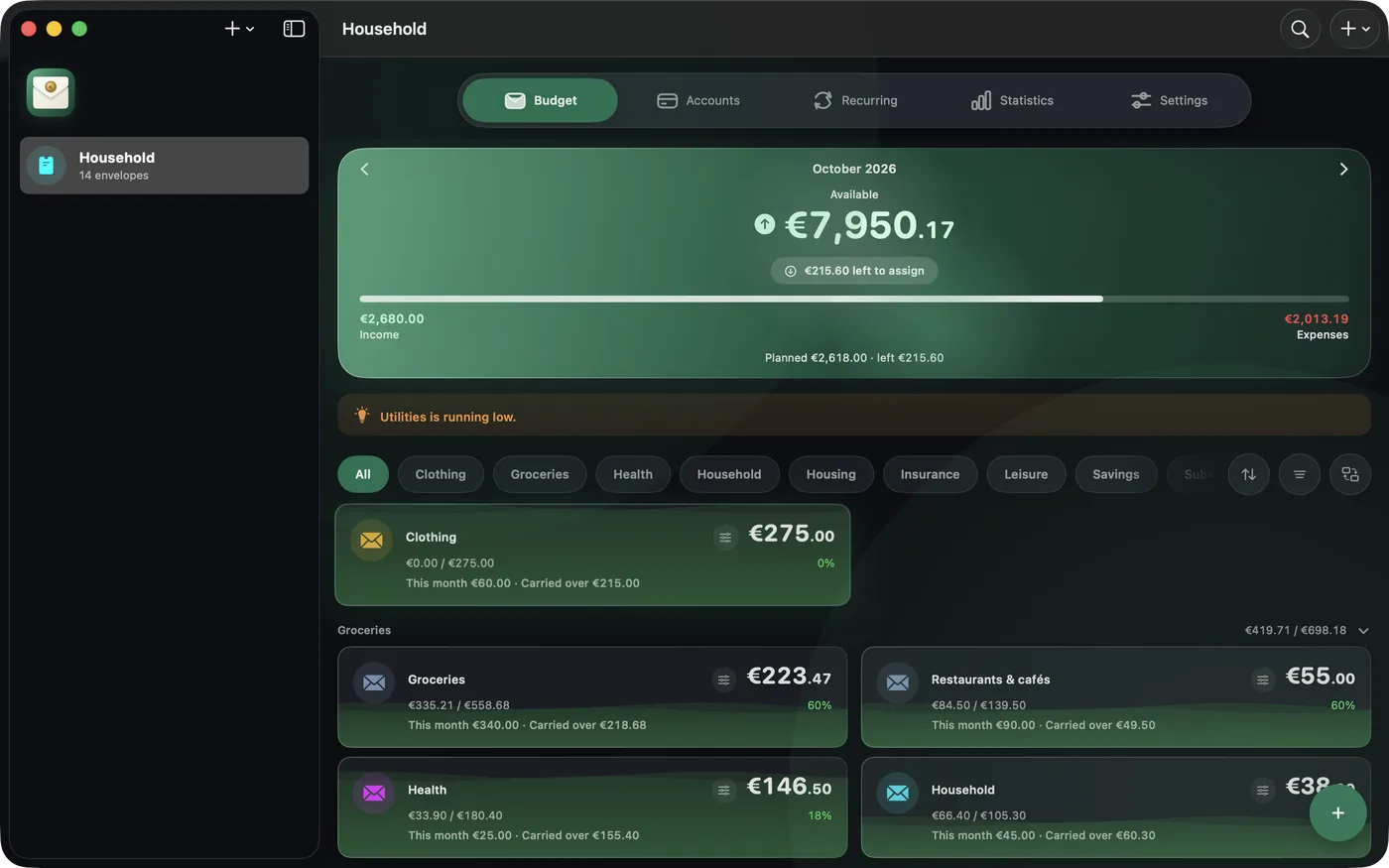
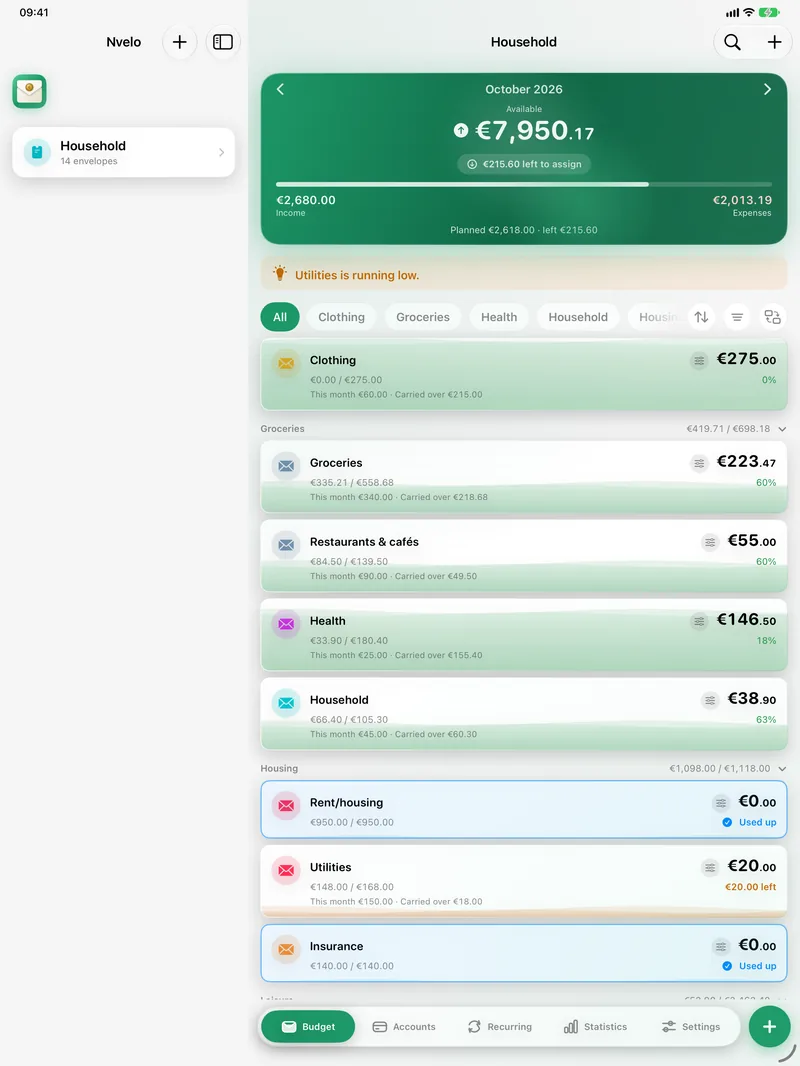
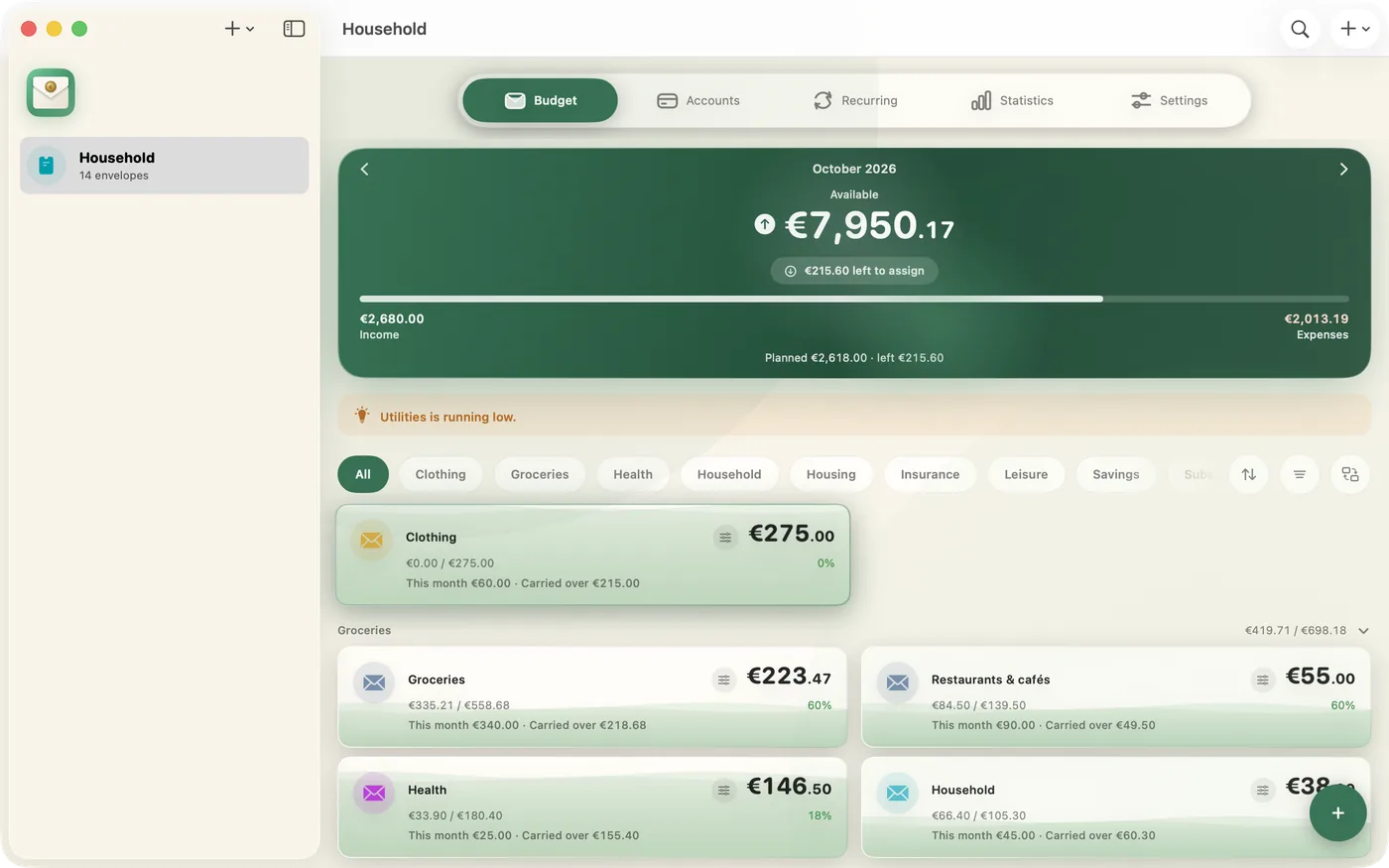
Nvelo on the Mac: monthly overview with all envelopes
1×purchase, never pay again
3 devicesiPhone, iPad and Mac
0 accountsno login, no sign-up
100 %your data, your iCloud
Envelopes

Always see what is left.

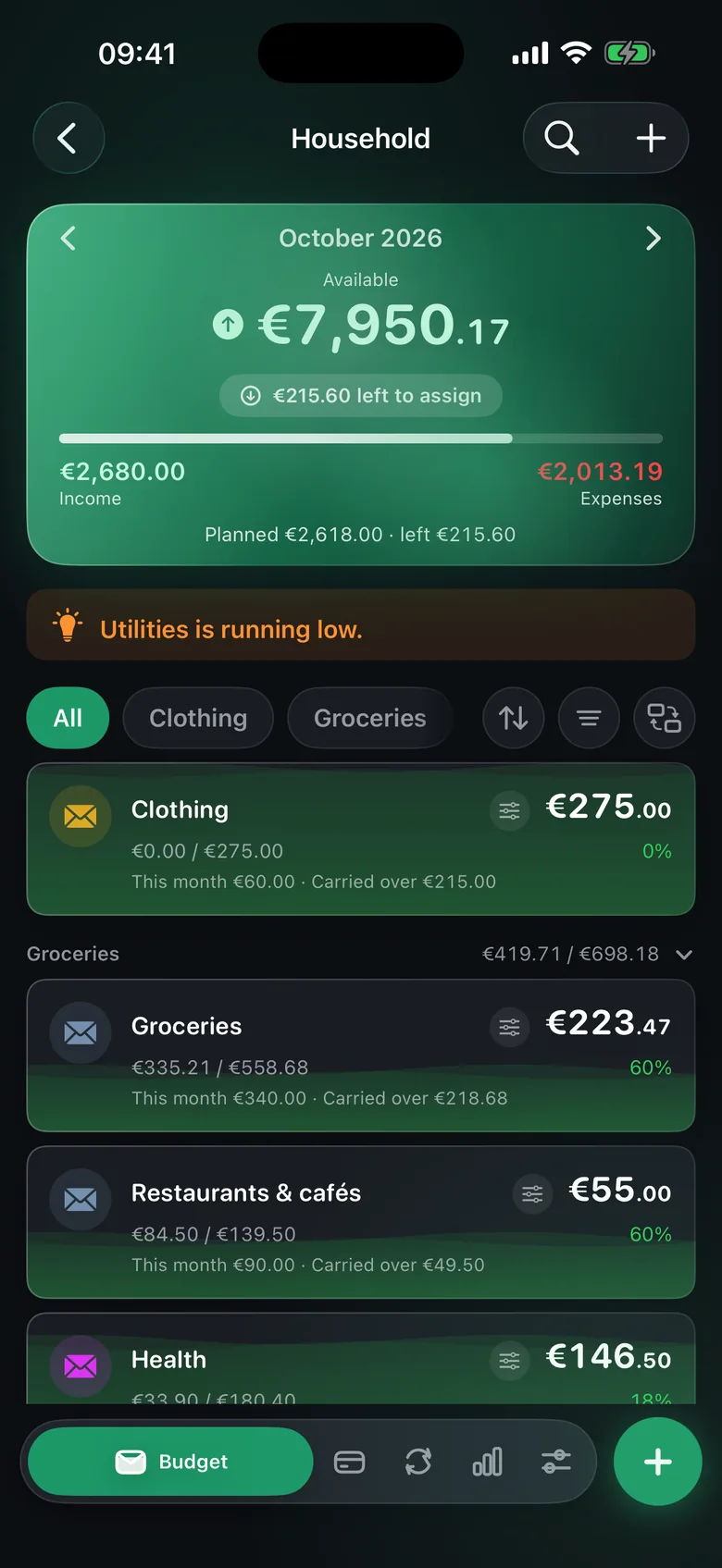
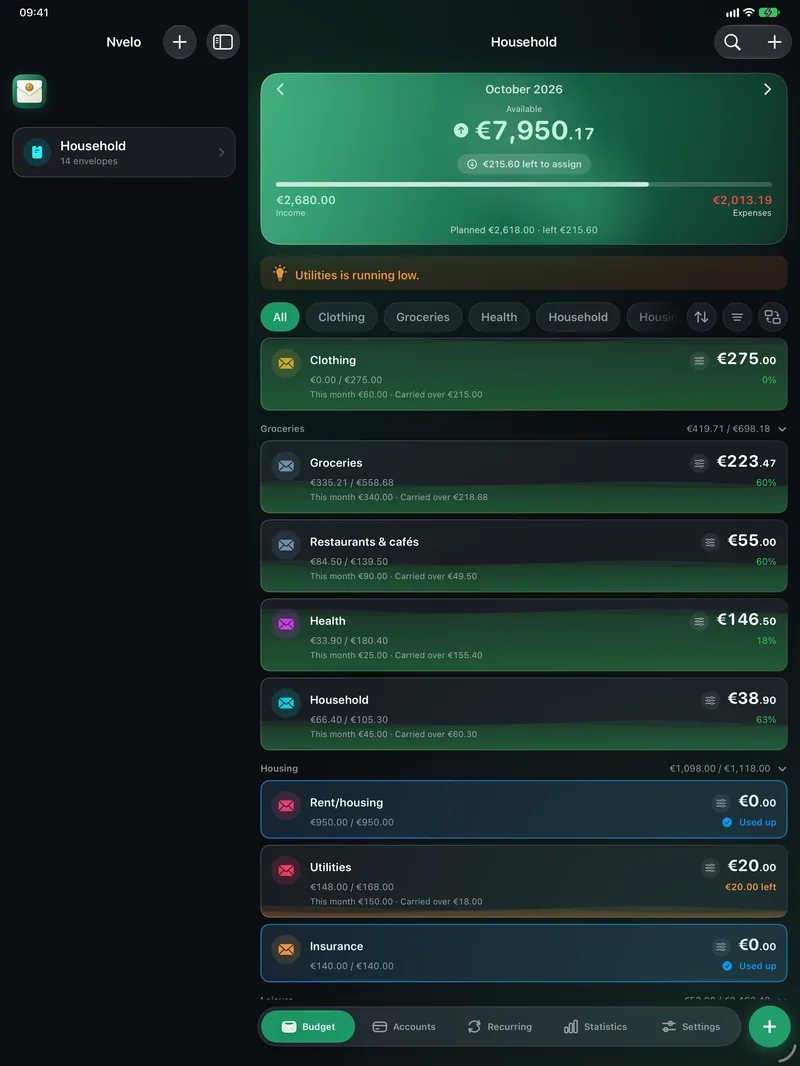
Every expense goes into an envelope. The bar shows at once how much is used up — and what is left at the end of the month rolls over automatically.

  • Balance rollover: leftovers do not vanish on the 1st
  • Savings goals with progress for holidays, an emergency fund and more
  • Split transactions across several envelopes
Nvelo: envelope list with progress bars and savings goal
Quick to enter

Book in seconds — wherever you are.

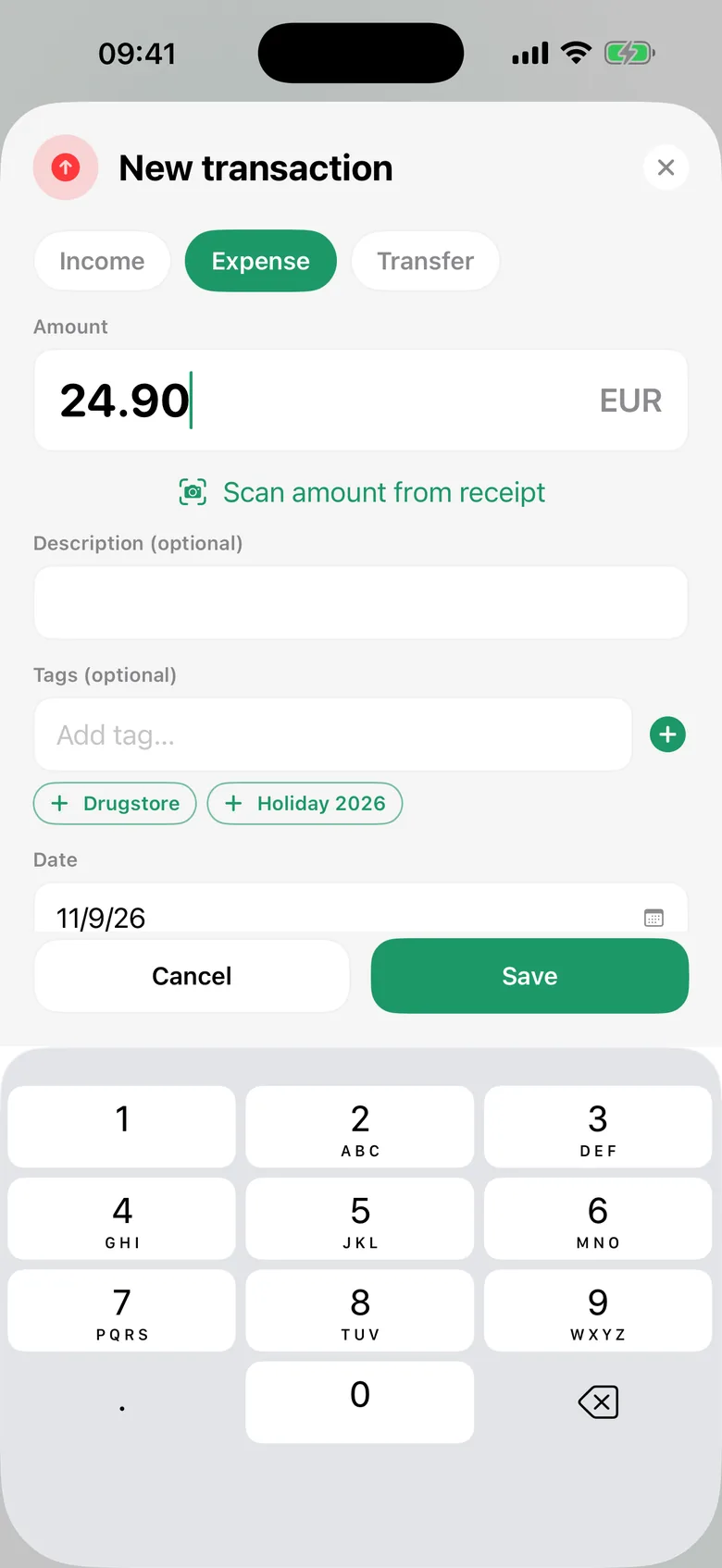
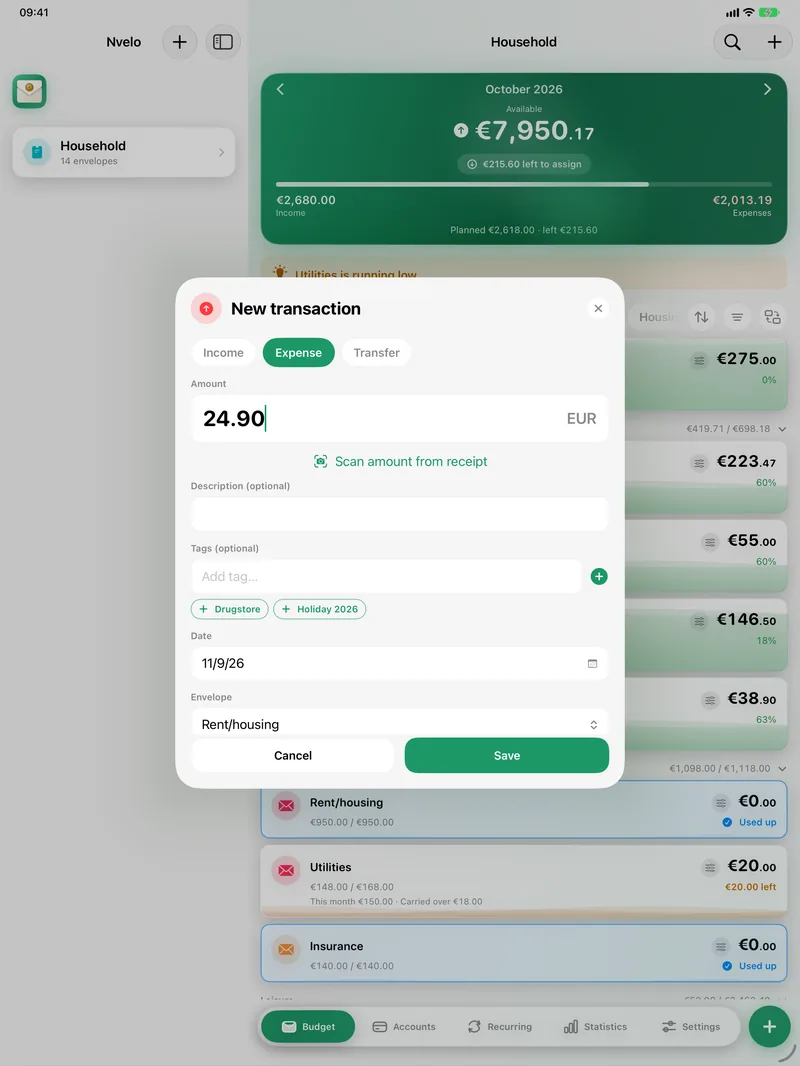
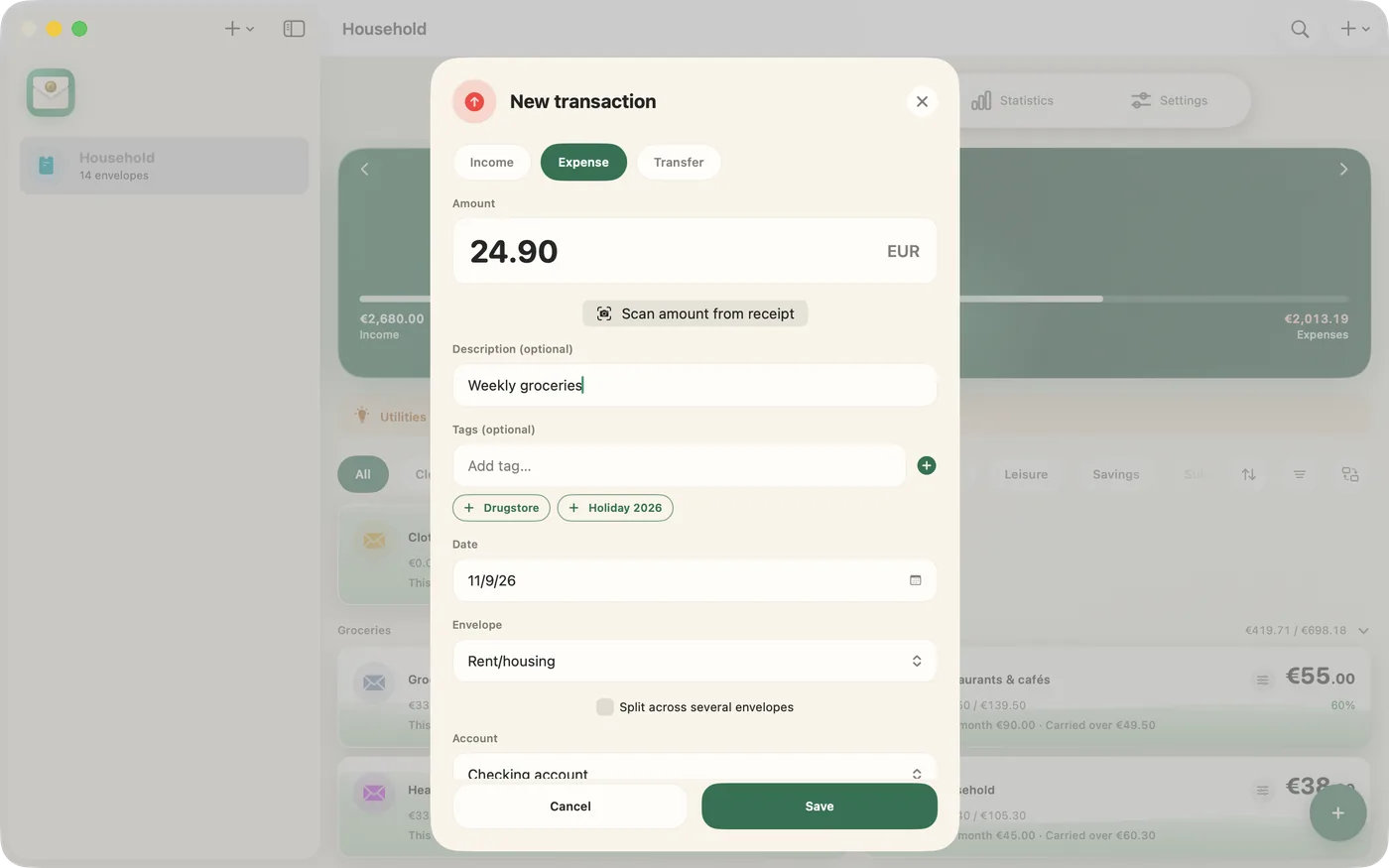
Type the amount, pick an envelope, done. Or use Siri and Shortcuts without opening the app — and one tap on the widget.

  • Siri, Shortcuts and Home Screen widget
  • Photograph a receipt: the amount is recognised on your device
  • On the Mac with ⌘N: a new transaction without touching the mouse
Nvelo: add a new transaction
Bank statement import

Your bank export, sorted in minutes.

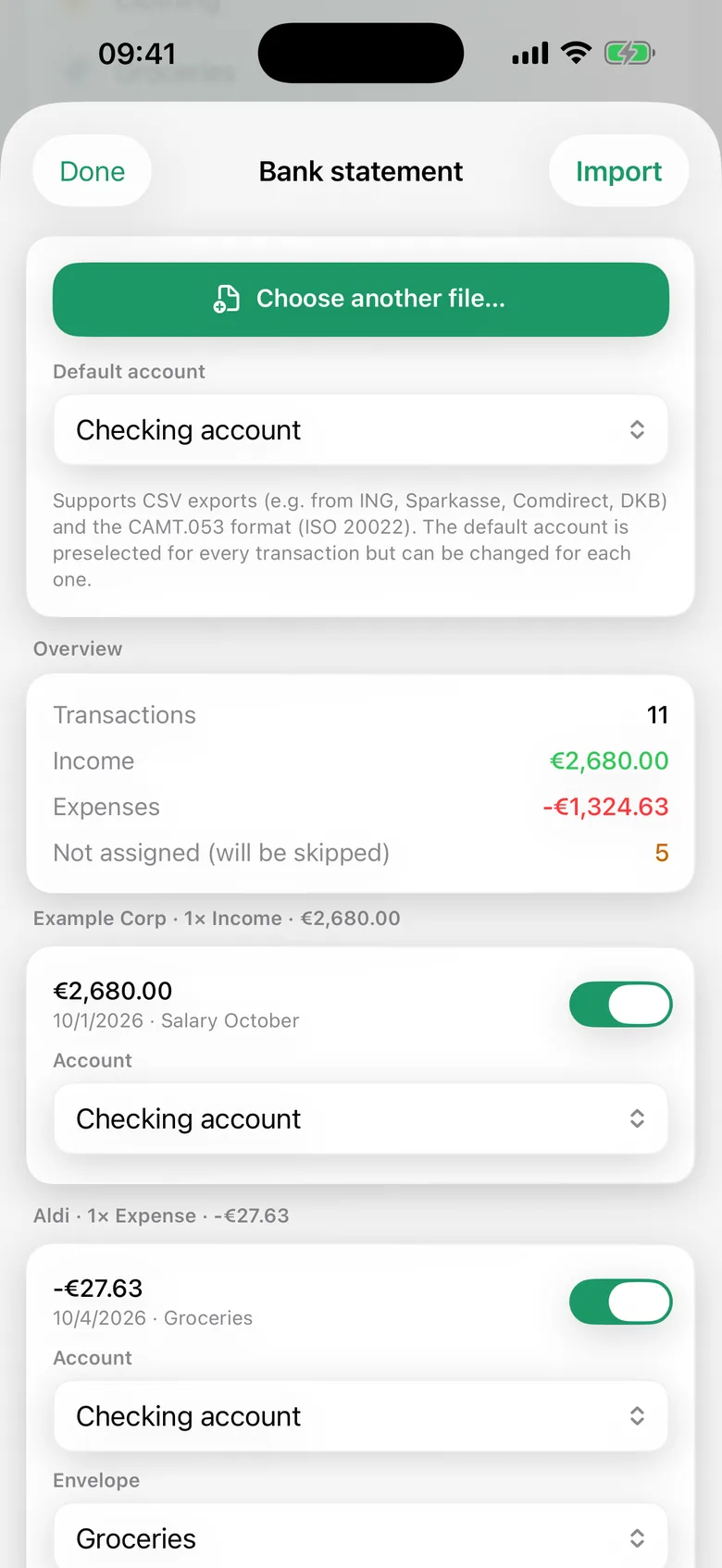
Load a CSV or CAMT.053 file from your bank. Nvelo detects the columns, suggests envelopes and learns from your earlier transactions.

  • Works with the CSV exports of most banks; columns can be mapped by hand
  • Every transaction can be checked and changed before importing
  • Recurring items then run by themselves
Nvelo: importing a bank statement with suggested envelopes
Statistics

The whole year at a glance.

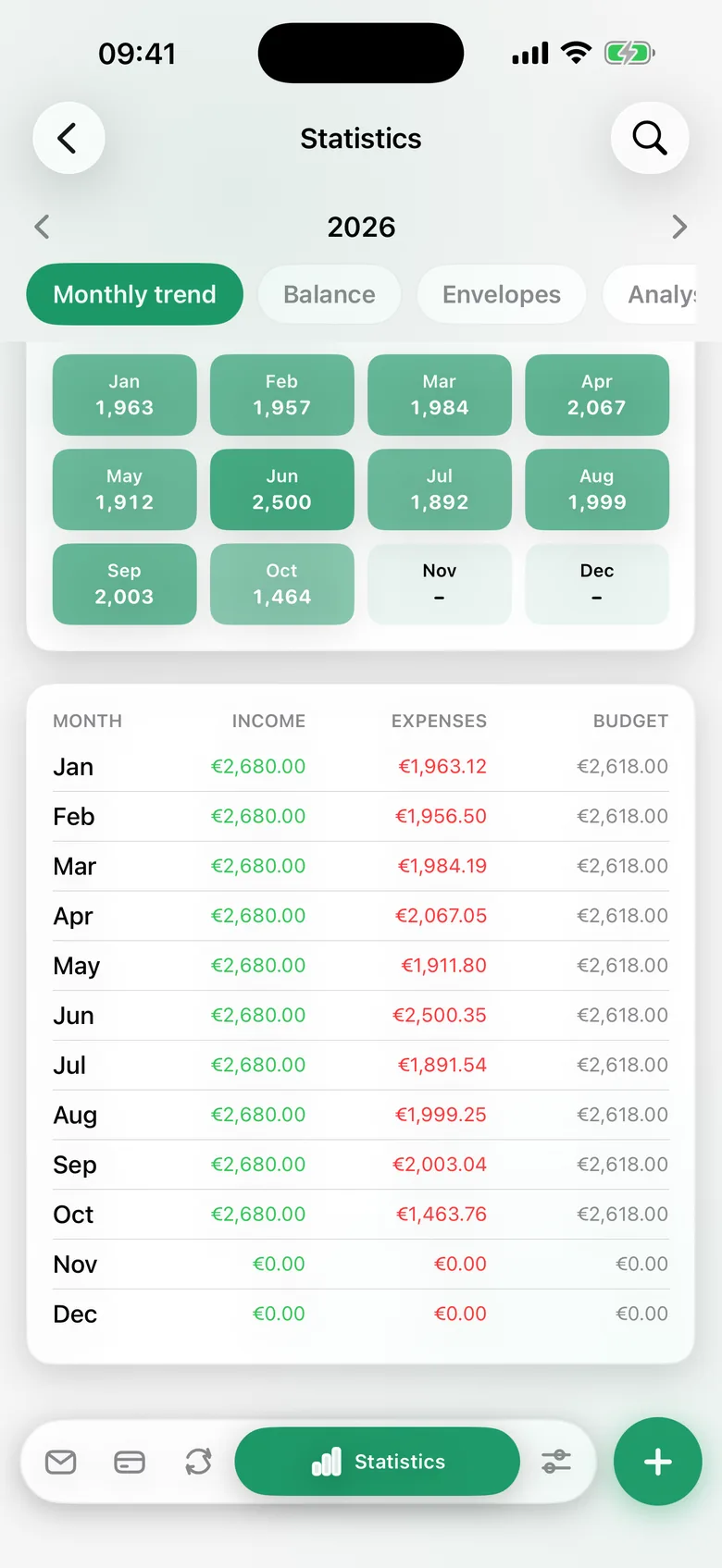
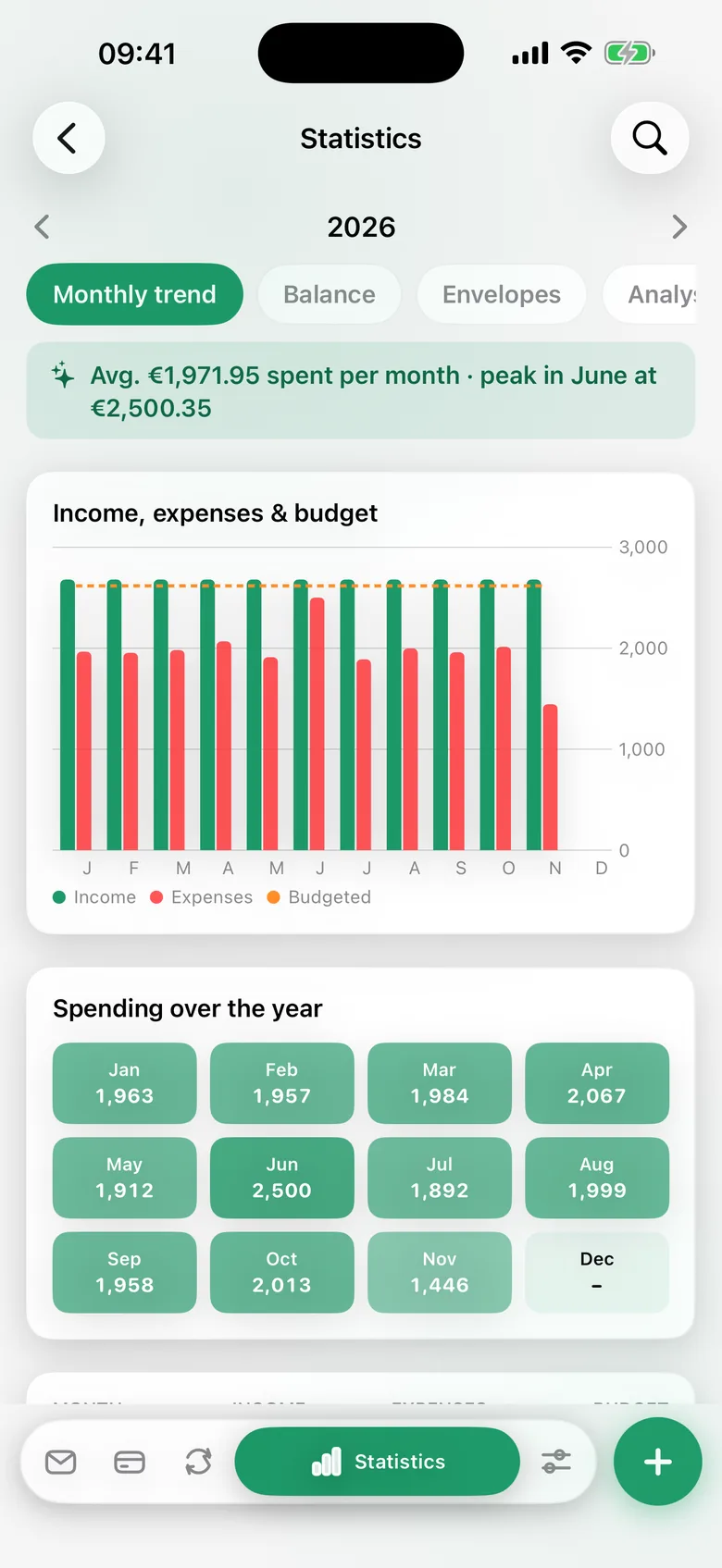
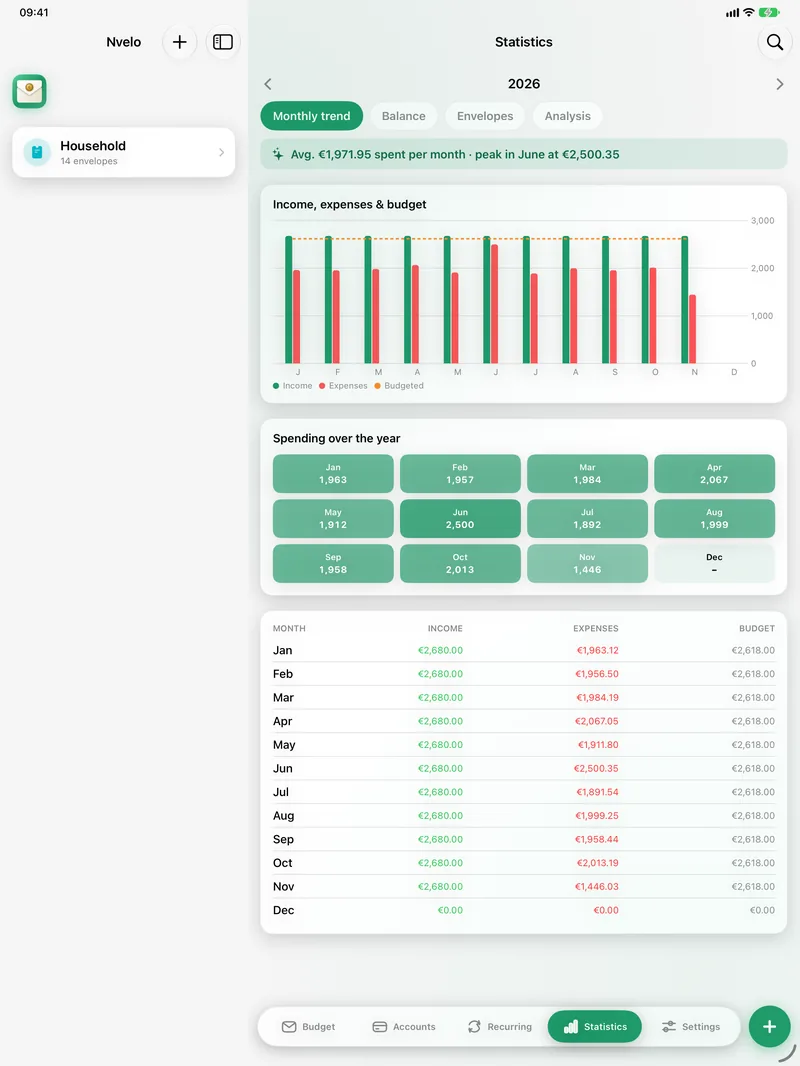
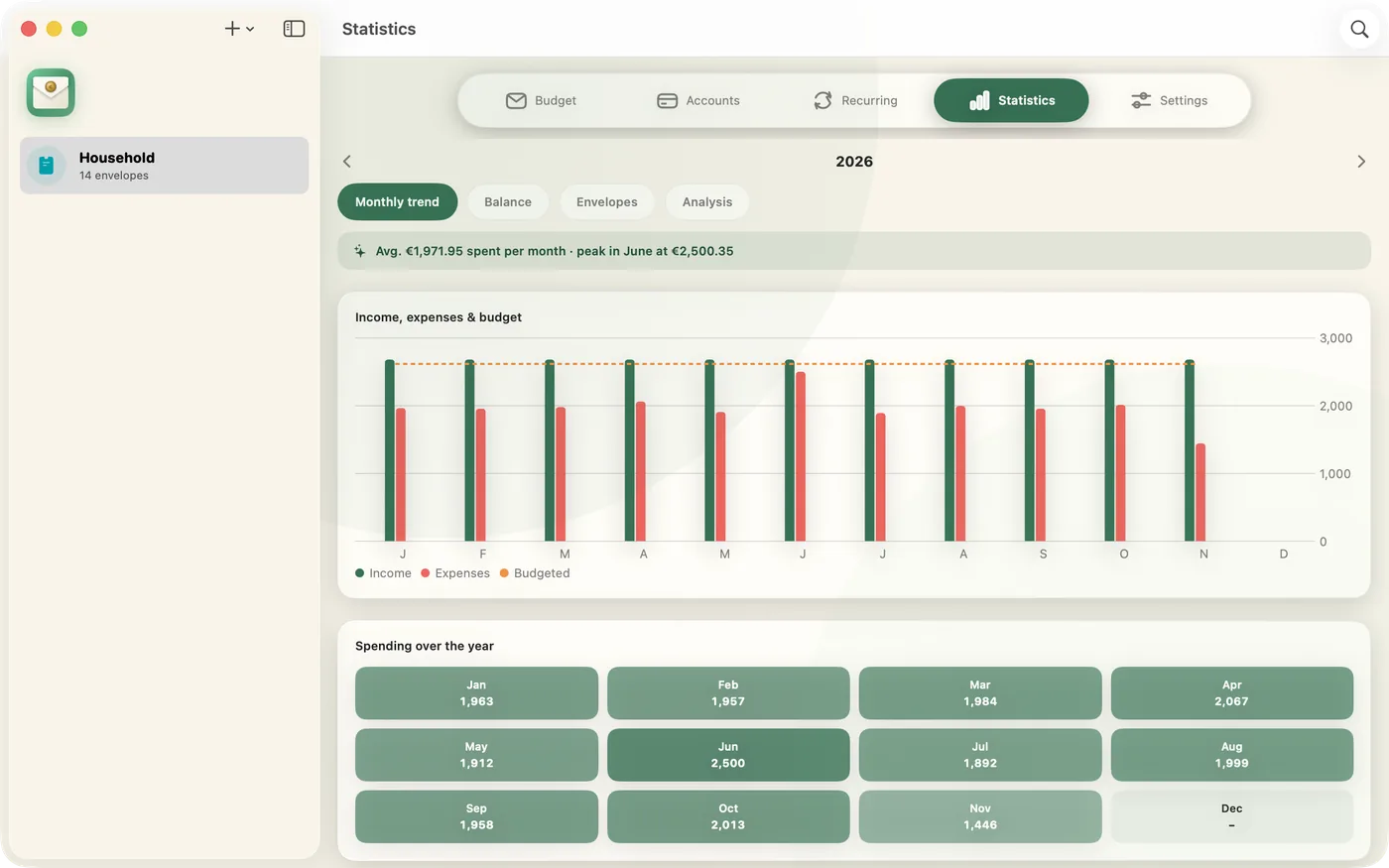
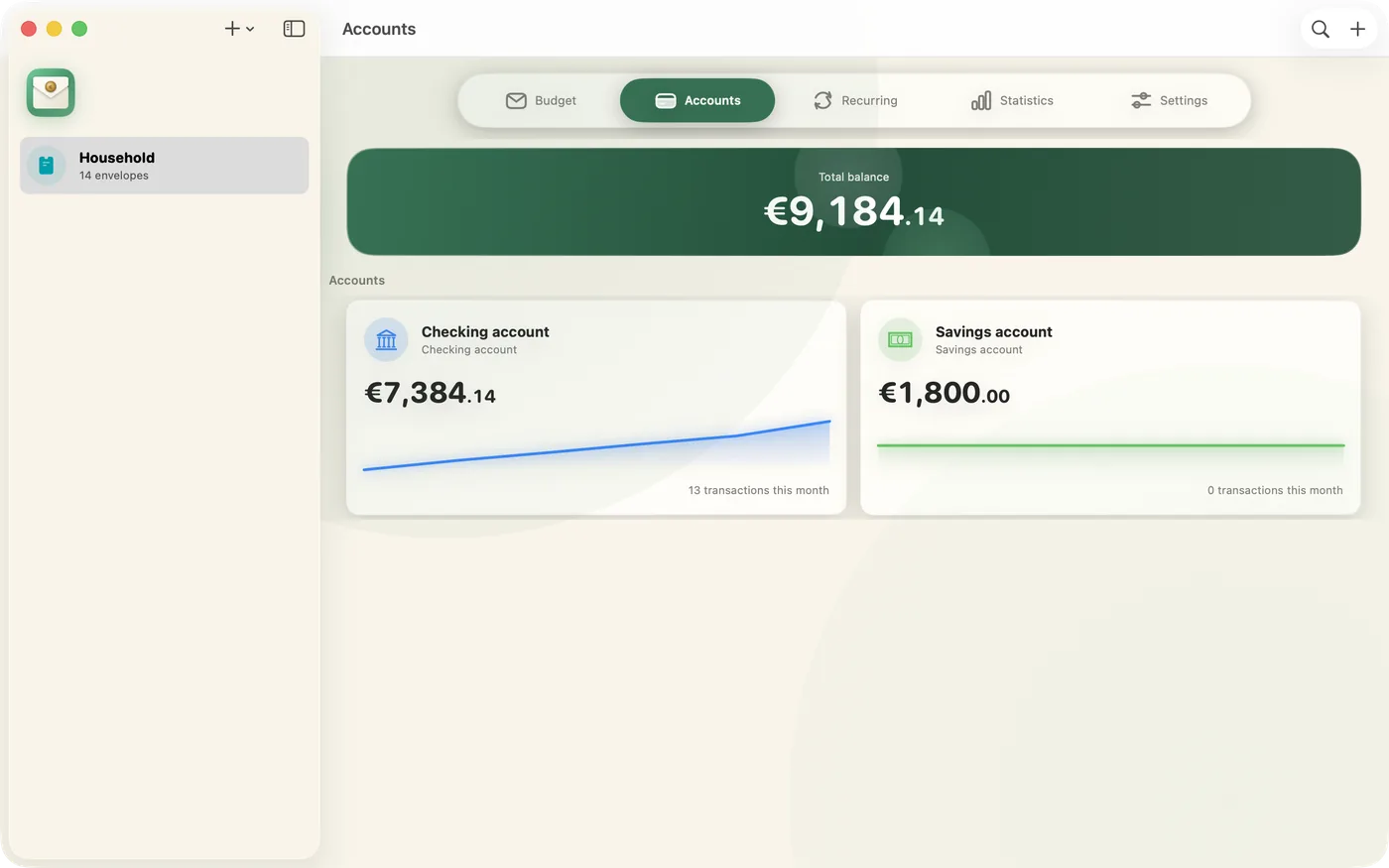
Income, expenses and budget month by month, plus the account balance — in total and per account. On the Mac you can export the annual report as a PDF.

  • Monthly trend, balance and analysis per envelope
  • Calm numbers instead of gamification
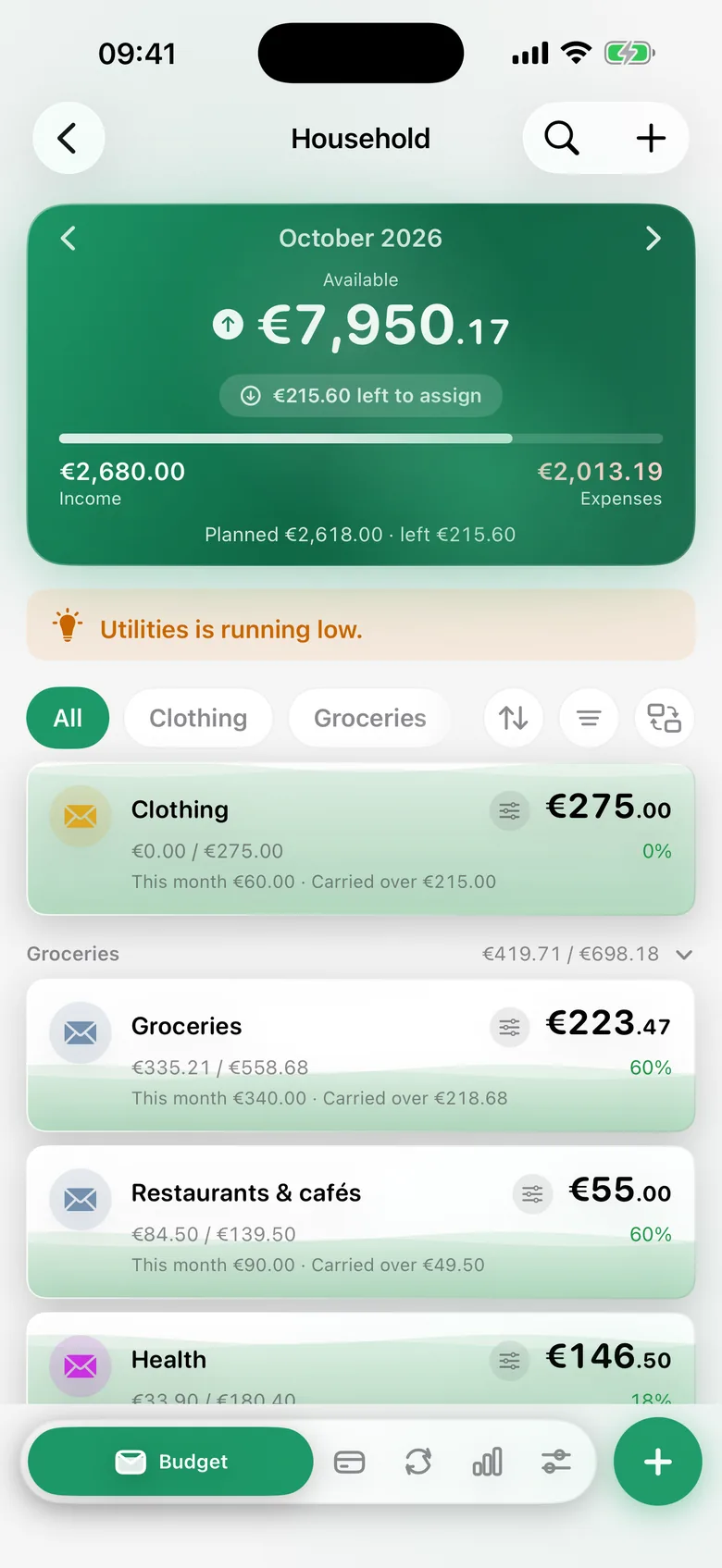
  • Dark mode included
Nvelo: income, expenses and budget month by month
In action

Take a good look.

Real recordings from iPhone, iPad and Mac — with demo data, exactly as the app looks.

The monthly overview: what is available and what is still to assign

Features

Everything a household budget needs.

Thought through to the detail — and still quick to understand.

Envelopes

Balance rollover

Money left in an envelope moves into the next month automatically instead of starting from zero on the 1st.

Import

Upload a bank statement

Import a CSV or CAMT export from your bank — expenses are suggested straight away for the right envelope.

Scan

Receipt scan

Photograph a receipt and the amount is recognised and entered automatically — on your device, without a cloud service.

Automation

Recurring items

Salary, rent, subscriptions: set up once, booked automatically every month when you open the app — no manual entry. On request Nvelo reminds you of due transactions.

Saving

Savings goals

Give an envelope a target amount and see the progress at a glance instead of calculating it yourself.

Quick

Siri, Shortcuts & widget

Add expenses and income by voice or with a shortcut, or open the transaction form with one tap on the widget.

Together

Share budgets

Share a single budget with your partner: you both add transactions and everything stays up to date on both devices. Your other budgets stay private.

Security

App-Lock

Face ID or Touch ID before opening — your finances stay protected even if your device leaves your hands.

Reports

Annual overview

Trends over twelve months at a glance — on the Mac also exportable as a PDF report.

How it works

Three steps, every month.

01

Income arrives

Salary, side income or a refund lands in an account — entered by hand or imported from a bank statement.

02

You split it into envelopes

Rent, groceries, reserves: every envelope gets a share. You see at once what is spent against the budget.

03

The rest rolls over

What is left in an envelope at the end of the month does not disappear — it shows up again next month.

Price

Pay once. Use it forever.

No subscription you forget to cancel — and no bank data managed by someone else.

Nvelo

€4.99one-time
  • iPhone, iPad and Mac with one purchase
  • Sync through your own iCloud
  • All features, no in-app purchases
  • No account, no tracking, no ads

Typical budgeting subscription

  • Running costs every month or year
  • Account and login with the provider
  • Your financial data sits on someone else’s servers
  • Without payment, access ends

General comparison, not a statement about individual providers.

FAQ

Frequently asked questions.

Do I need an account or a subscription?
No. Nvelo costs a one-time €4.99 and covers iPhone, iPad and Mac. There is no sign-up, no login and no subscription.
Where is my data?
Only on your devices and in your own iCloud. There is no Nvelo server, no tracking and no ads.
Does Nvelo sync between iPhone, iPad and Mac?
Yes, through iCloud. Sign in with the same Apple ID on all devices and budgets and transactions are up to date everywhere.
Can I connect my bank account?
There is deliberately no direct bank connection. Instead you import the bank statement as a CSV or CAMT file. Nvelo suggests suitable envelopes.
In which countries and languages is Nvelo available?
In the App Store of Germany, Austria, Switzerland, Luxembourg, France, Belgium, Canada, the United Kingdom, Ireland and the USA. The app speaks German, English and French and follows your device language. You choose the currency per budget.
Is Nvelo available for Android or Windows?
No, Nvelo is a native app for iPhone, iPad and Mac.
Can I export my data?
Yes. Transactions can be exported as CSV in the format of your region, and there is a full backup as well. On the Mac you can also create an annual report as a PDF.
Can several people share a budget?
Yes. You invite a person by name to a single budget, you both add transactions and everything is up to date on both devices. Sharing runs through Apple’s iCloud, Nvelo has no server of its own. Your other budgets stay private; only you, as the owner, can delete the shared budget for everyone. Receipt photos are not shared.
How does the receipt scan work?
You photograph the receipt and Nvelo recognises the amount right on your device. No images are sent to a cloud service.

Private

Your data belongs to you.

No accountNo trackingNo adsYour own iCloud

Nvelo shows you what is there — not what you should feel. Calm numbers for the decisions you make. No account, no tracking, no ads: your data stays on your devices and in your own iCloud.

Nvelo app icon

Ready for order in your money?

Buy once, use it on iPhone, iPad and Mac — no subscription and no account.

Download on the App Store